


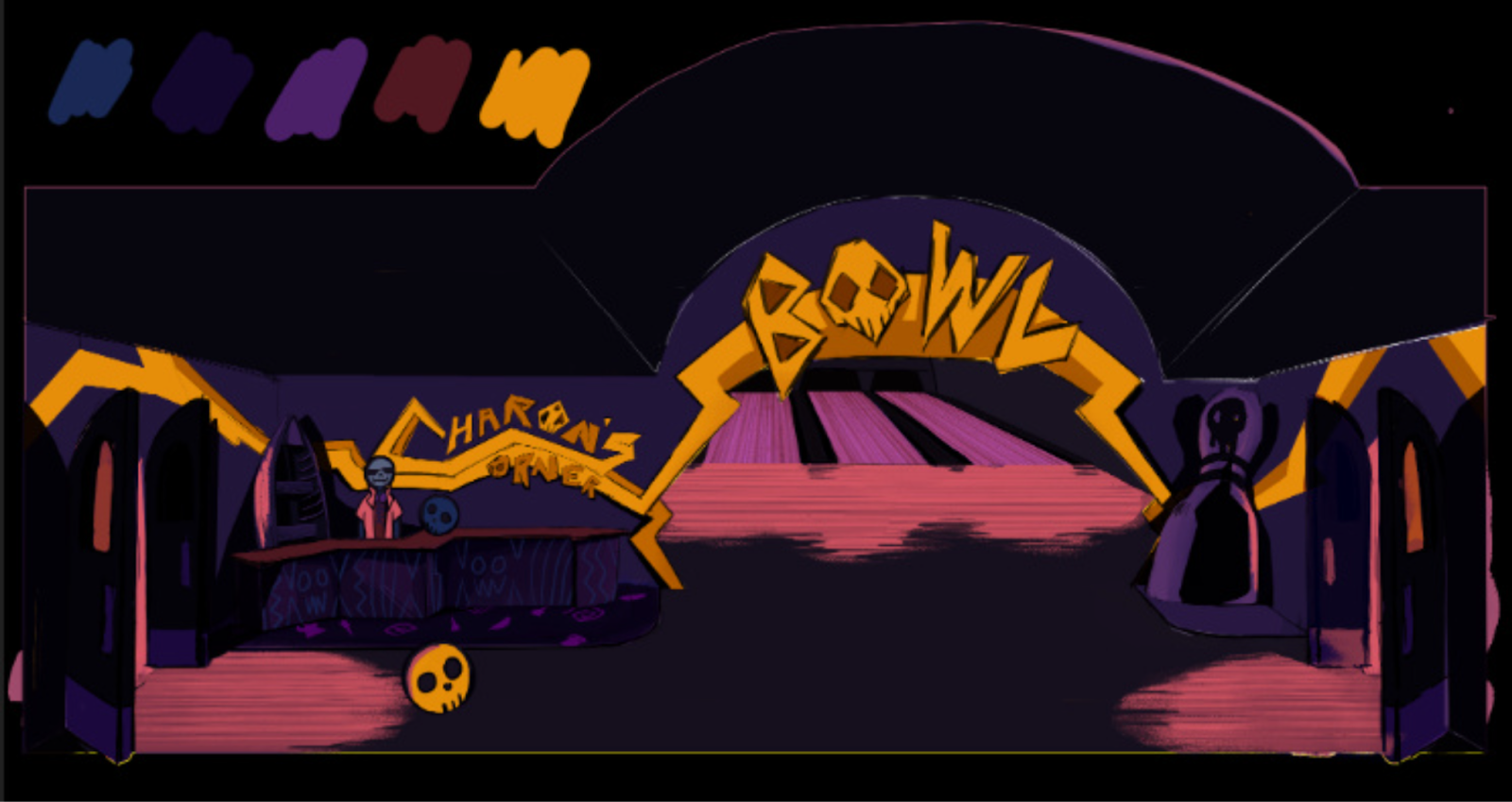
Charon's Corner - Overview
Charon's Corner is a high-speed 3D cart-racing inspired project reimagining Greek Mythology's ferryman of death as a bowler who sends souls to the afterlife by bowling their skulls down a bowling lane. This game is in its early stage of development by the Studio Aspen team of 2025-2026, a student-led AAA simulation studio from EGD Collective.
Technologies
My Role
As Programming Director, I led the technical direction of core systems architecture and handled all of the DevOps behind the project. I also supported my team members and communicated across all departments through Agile development. What I did:
- Auto documentation generation through DocFX
- Custom single entry point system
- InputManager supporting controllers and keyboard + mouse
- Save system
- UI framework
- Settings menu framework
Highlights
DISCLAIMER: This section is work in progress because of ongoing development.

Custom Editor Single Entry Point
Goal
I wanted to enforce a Single Entry Point within the Unity Editor and not just in the final build. This ensures that every time a programmer presses Play, the game always boots from a consistent starting point, the Bootstrap scene, which initializes all core singletons and systems.
Another goal was to make sure that other programmers could work safely in any scene while still having access to the same core managers like the GameManager. This prevented missing reference issues or dependency errors when testing non-buildlisted scenes.
Solution
I developed a custom Editor script that hooks into Unity's
EditorApplication.playModeStateChanged event.
This script automatically handles scene switching and state restoration during Play and Edit Mode.
Flow:
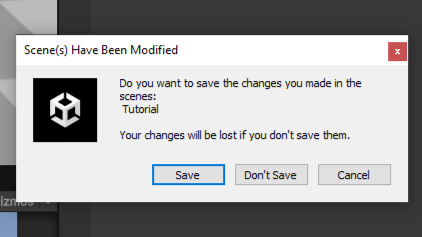
1. Prompts the user to save unsaved scenes before entering Play Mode.
2. Switches to the Bootstrap scene, which contains all singleton initializations.
3. Remembers the developer's original scene and restores it when Play Mode ends.
Challenge #1: Addressable Scene Management
Unity does not normally allow switching to scenes that aren't part of the build list, which caused issues since the Bootstrap scene wasn't included. To overcome this, I temporarily marked the scene as Addressable in the Editor, allowing safe scene switching during Play Mode. After exiting Play Mode, all scenes were reverted to their normal non-addressable state. Marking and unmarking addressable scenes dynamically had to be isolated to the Editor, so it would never affect actual runtime builds.
Challenge #2: Scene Save Enforcement
Unity allows entering Play Mode from unsaved scenes, which would discard scene changes under this Bootstrap system. I resolved this by forcing a save confirmation before continuing to Play Mode.
Challenge #3: GameManager Initial State
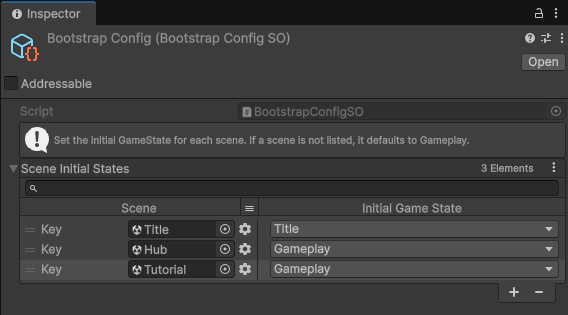
While testing individual levels in the Editor, I needed the GameManager to start in the correct state depending on which scene was loaded. For example, bootstrapping directly into Level 1 should start in the Gameplay state instead of the default Title state. To handle this, I implemented a BootstrapConfig ScriptableObject asset that maps each scene to its corresponding initial GameState using a dictionary. During runtime, the BootstrapLoader checks this configuration to determine the proper starting state. If a scene isn't defined in the config, the system defaults to the Gameplay state, ensuring proper initialization across all test and production scenes.
Outcome
This system standardized the testing workflow for the entire team. Every Play session now starts from the same initialization pipeline, ensuring consistency and preventing missing singleton issues. Developers can work freely in any scene without worrying about setup, while still maintaining the project's Single Entry Point principle.